Actual ShiftMate screens with synthetic demonstration data. Explore what staff see and do.
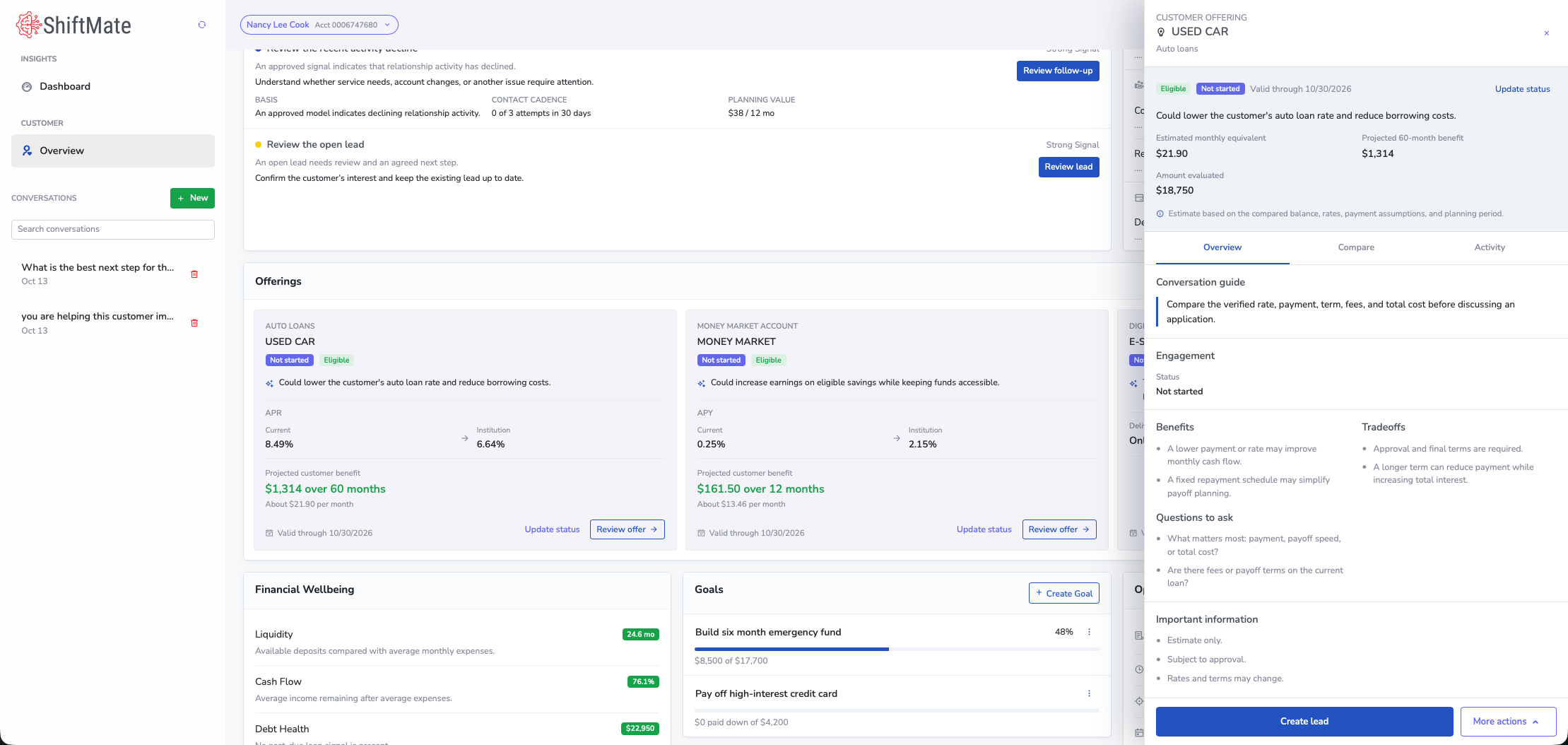
Opportunity estimate and conversation guide
Actual product · Synthetic data
Review opportunities
Review the loan, member information, and conversation guidance together. Benefit comparisons are illustrative and depend on the terms, fees, balance, and time horizon; projected benefit is not realized savings.
Projected benefit and the assumptions behind it.
Conversation guidance and the current engagement status.
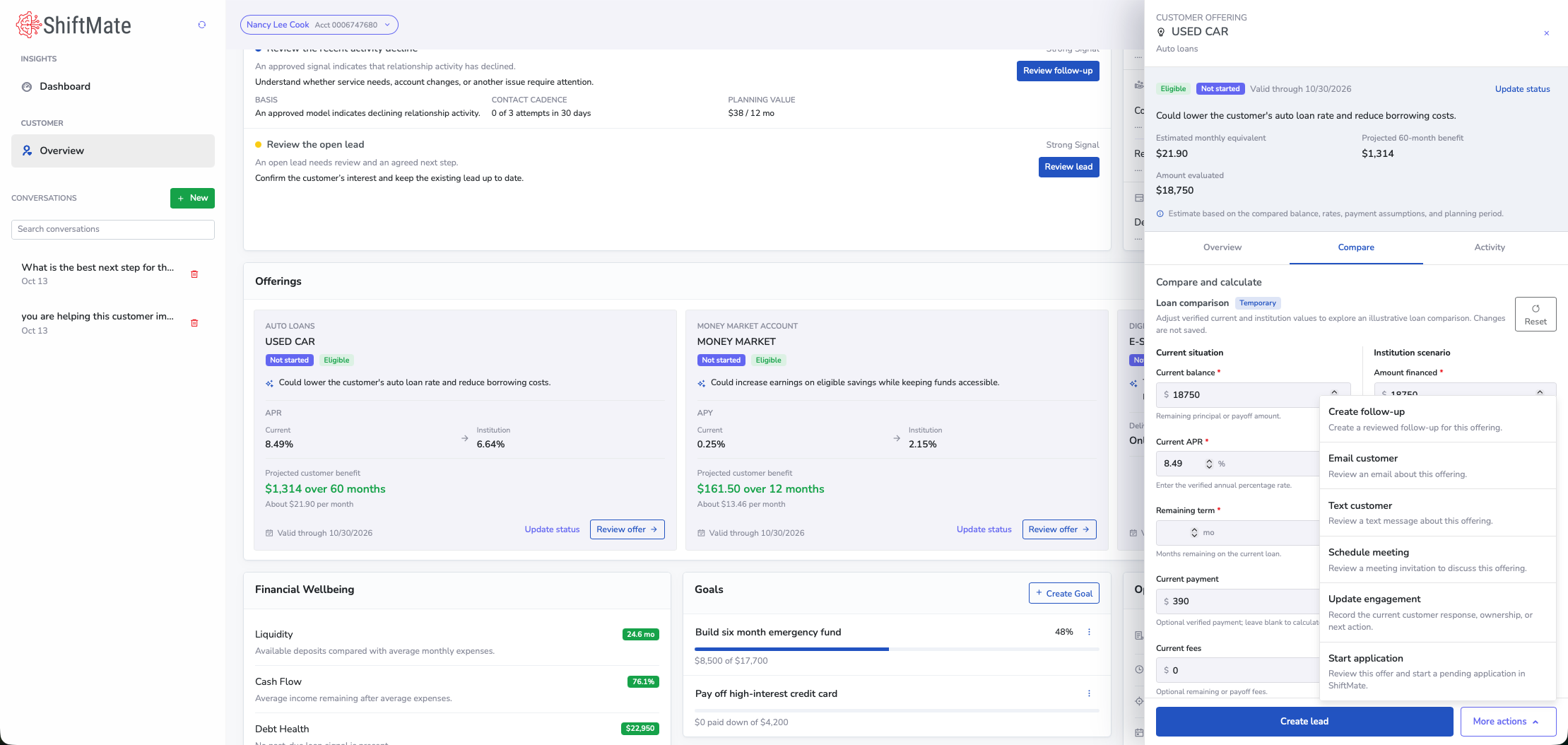
The temporary comparison does not save changes or establish final loan terms.
Follow-up actions
Actual product · Synthetic data
Coordinate follow-up
Choose a follow-up action, prepare a member message or meeting invitation for review, and update engagement. Staff decide how to continue the conversation.
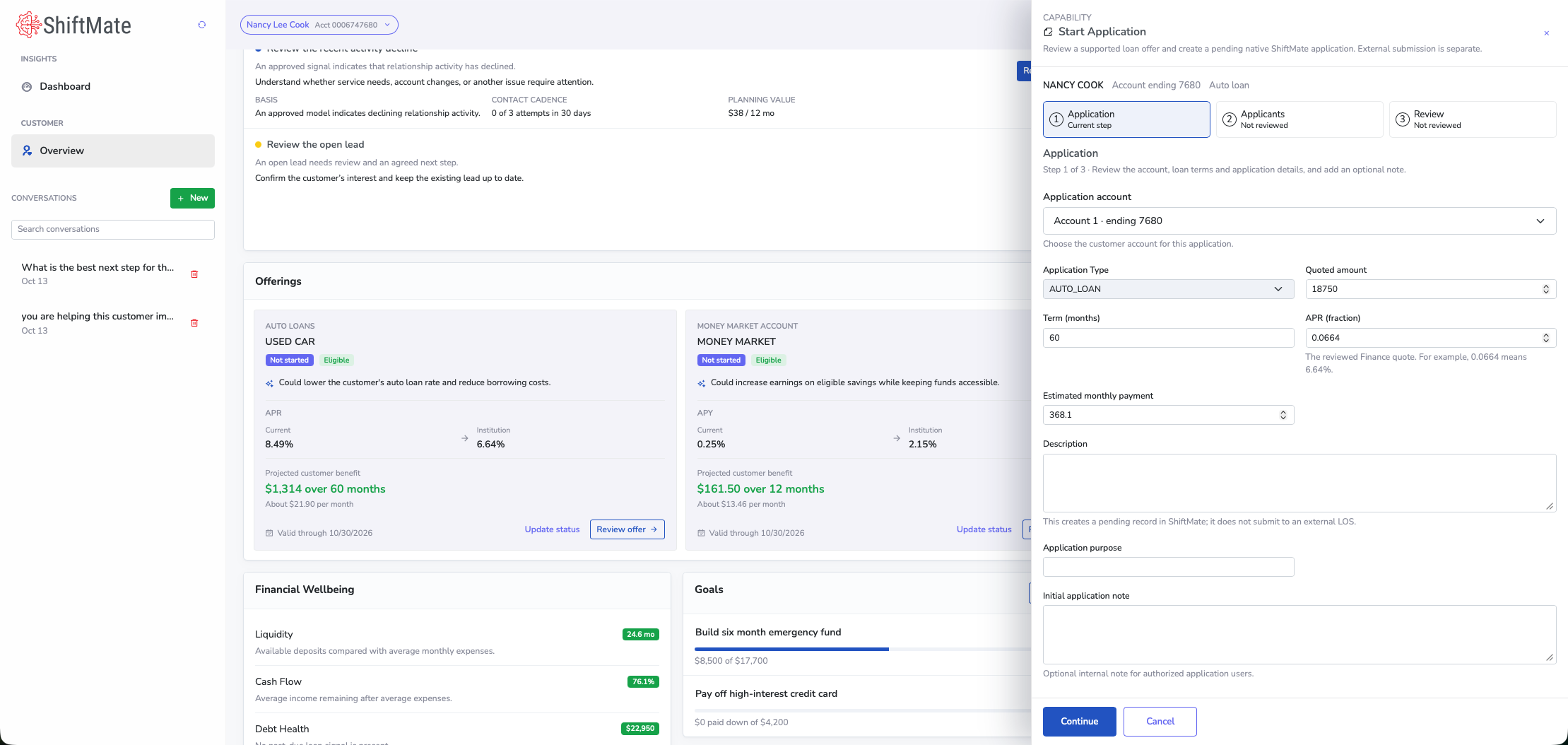
Review the loan and applicant information before creating a pending application in ShiftMate. This demonstration does not illustrate the external loan origination handoff.
Review the application, applicants, and loan details.
The resulting record is pending in ShiftMate; external submission is separate.
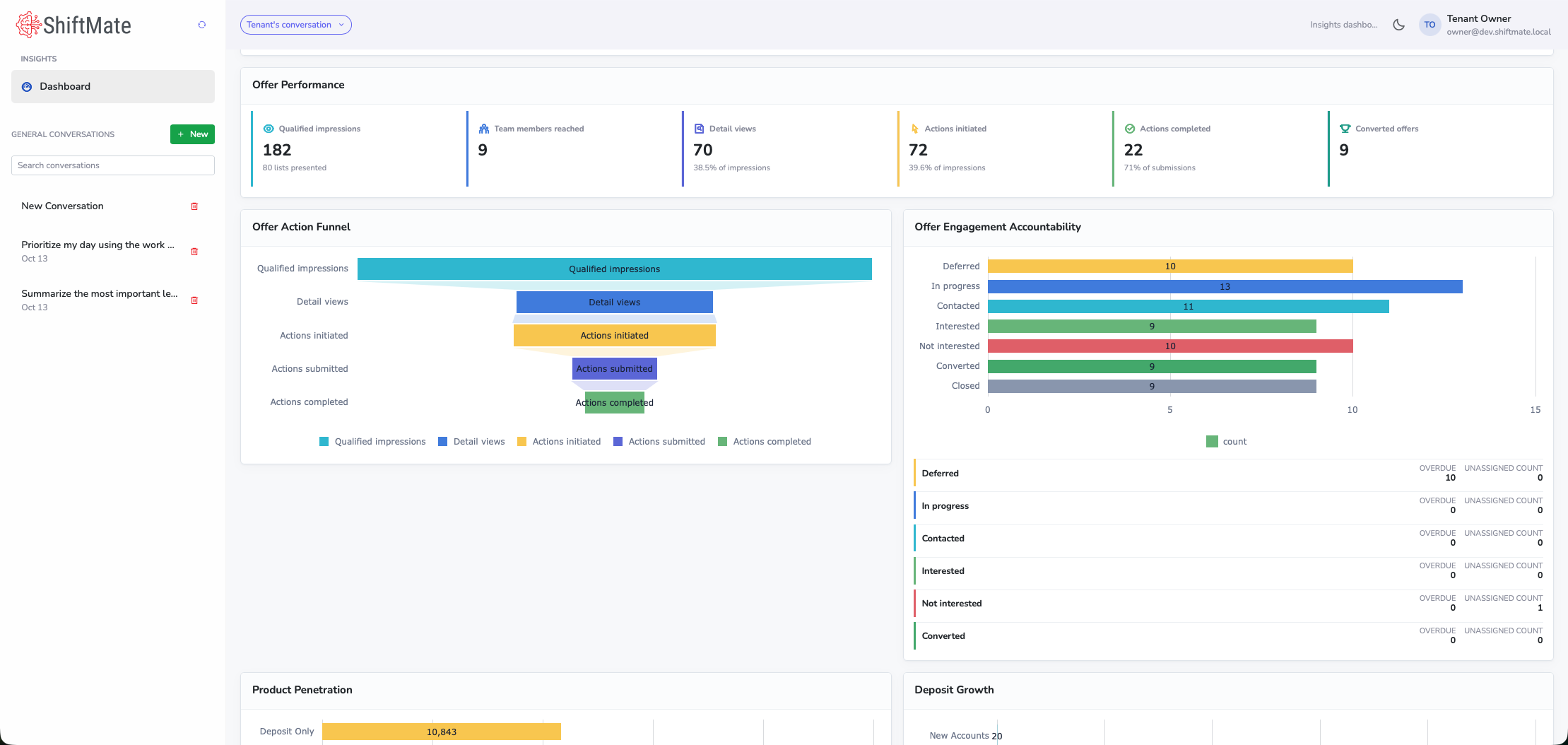
See offer activity and engagement status to understand what staff have worked on. Engagement status does not establish approval, funding, or incremental growth.
Actions initiated
Starting an action is distinct from submitting or completing it.
Actions completed
Completed workflow activity does not establish a lending outcome.
Converted offers
This is an engagement status. Funding must be verified from a separate outcome record.
Lending opportunity activation is one application of ShiftMate’s broader operating model. These practical activities support the work within that model.
Review opportunities. See the loan details, member information, and conversation guidance together so staff can prepare a relevant conversation.
Coordinate follow-up. Choose a contact or follow-up action and record engagement so the team can see who needs attention.
Prepare applications. Review the loan and applicant details before creating a pending application in ShiftMate.
Track progress. Review offer activity and engagement to see where work moves forward and where staff need to follow up.
Apply the model across the workflow.
Organize → Activate → Measure → Grow is the operating cycle. Several product activities can support the same stage.
Organize
Reviewing opportunities primarily supports Organize: bring the relevant information and ownership together.
Activate
Both coordinating follow-up and preparing applications support Activate: staff carry out the work and manage handoffs.
Measure
Review activity and available outcomes against a baseline. Keep engagement, applications, approvals, and funding distinct.
Grow
Decide what to improve, expand, or stop based on evidence, then bring those decisions into the next cycle.
Fit with your institution
Connect the work around your existing systems.
ShiftMate brings loan opportunities, member information, and staff actions into the same workspace. Map the connections your workflow needs alongside the marketing, CRM, core, and origination systems you already use.
Product demonstration
Work staff can do in ShiftMate
Review opportunities and comparisons, prepare follow-up, record engagement, and create pending applications in ShiftMate.
Confirm for your workflow: The loan types, staff responsibilities, and review steps for your institution.
Institution-dependent configuration
Opportunity sources and member information
Loan opportunities appear alongside member and account information. The source connection and transfer method must be confirmed for your institution.
Confirm for your workflow: Source system, required fields, member matching, data permission, refresh timing, and missing-data handling.
Institution-dependent configuration
Lending workflows and origination integration
ShiftMate supports integrations with multiple loan origination systems, with available functions and configurations depending on the institution's environment.
The example shown here demonstrates preparation of a pending ShiftMate application. It does not illustrate the external loan origination handoff.
Confirm for your workflow: Supported integration functions and any additional implementation requirements are confirmed for each institution. Confirm the interface or manual entry, receipt reconciliation, and failure owner.
Institution-dependent configuration
Lending outcome records
Offer activity and engagement are shown in ShiftMate. Approval and funding must be verified from the records that establish those outcomes.
Confirm for your workflow: The source of approval and funding status, record matching, refresh cadence, and responsibility for unresolved records.
Existing supported connections and proposed integrations are scoped separately. Confirm any manual work and the responsible team.
Start with a baseline for follow-up and application progress. Decide how your institution will assess changes in staff effort, member experience, and lending outcomes.
Agree on the work
Choose the opportunities, staff responsibilities, and handoffs to evaluate. Include the people who will do the work.
Measure the change
Define eligible opportunities, staff action, applications, and funded loans separately. Establish a baseline and data availability before evaluating changes or incremental financial contribution.
For a separate customer deployment, see how LAFCU uses ShiftMate for lien servicing. Its servicing results do not establish lending growth.
Where could better follow-through make a difference?
Bring a lending or growth owner and, if helpful, a colleague close to operations or systems. We’ll discuss source and system fit, employee work, a measurement baseline, and who owns the next step.